 SECURIVERSE
FOR COMPANIES
Need to fill a shift?
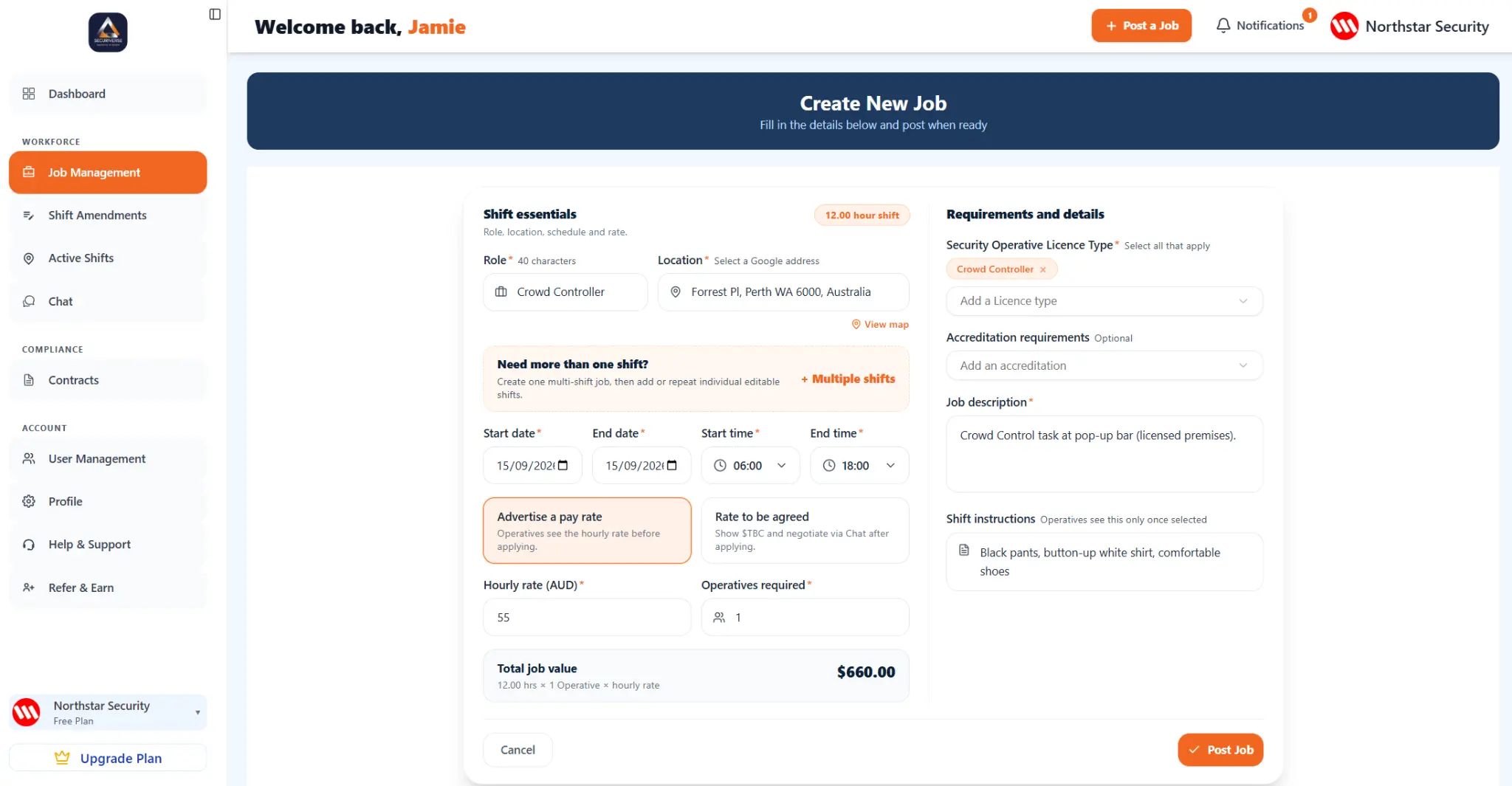
Create a Job, review applicants and select the person for the work.
Open Company portalOperatives search for a job and apply for a shift that meets your needs.
FOR COMPANIES
Create a Job, review applicants and select the person for the work.
Open Company portalFOR OPERATIVES
Create your profile, use Find Shifts and apply for work that suits you.
See the Operative appPRODUCT WALKTHROUGHS
Choose the walkthrough designed for the way you use the platform.
BUILT FOR WHAT IS NEXT
Built for an industry that needs more than phone calls and spreadsheets, Securiverse brings location-based job discovery, digital job tools and shift activity into one clear experience.
Companies create a Job, select an applicant and monitor the shift from start through completion. Operatives find work in the areas they choose and manage shift activity in the app.
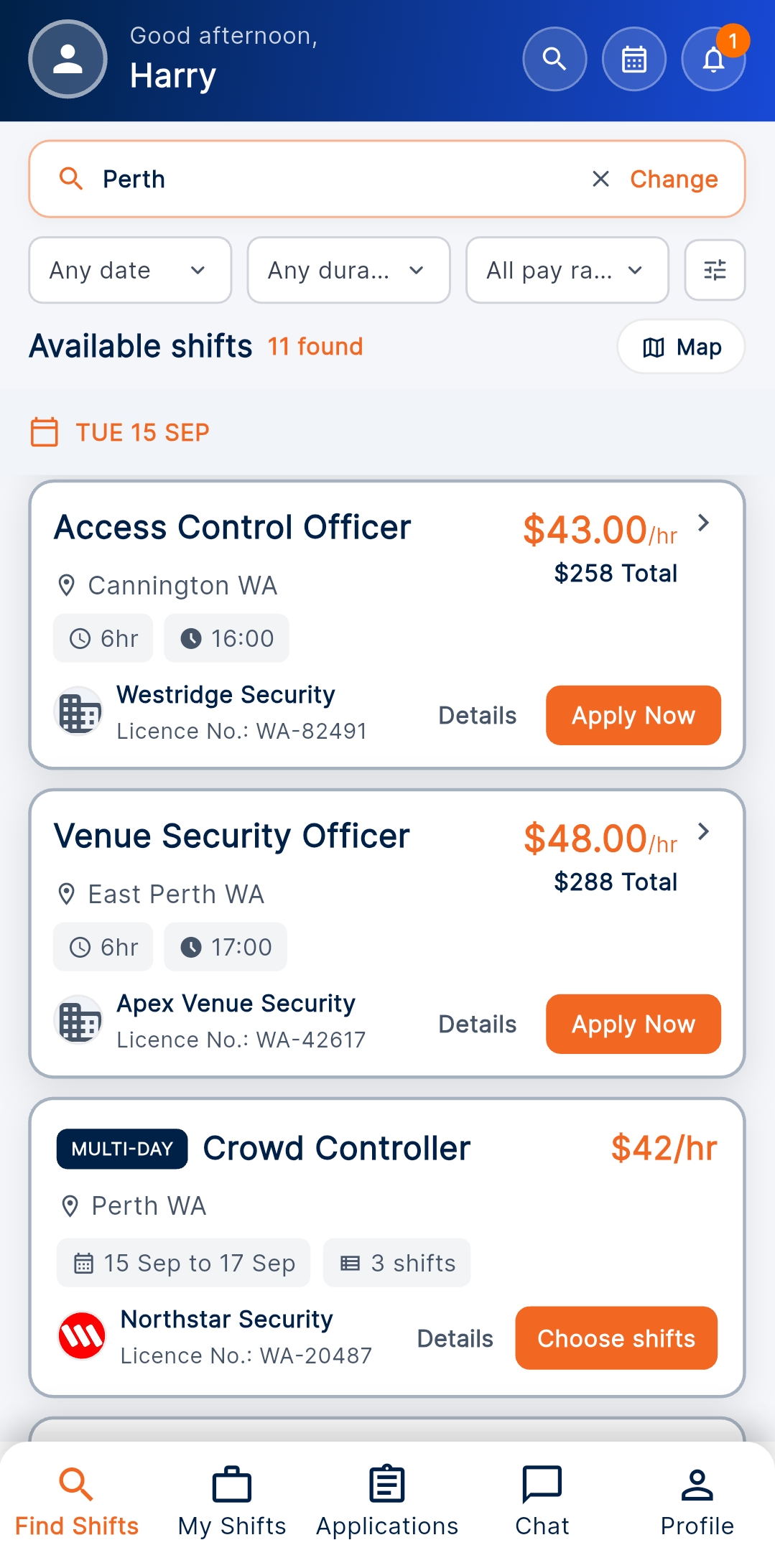
Operatives can look for available work in the areas they choose.
Check in at the start of a shift and check out at the end.
Move accepted work through the platform’s digital contract workflow.
Bring job creation, applicant selection and shift completion together.
OPERATIVE APP
See the opportunities available to you in Find Shifts.
HOW IT WORKS
Add the role, shift details and what you need.
Review applicants and choose who you want for the shift.
Follow the shift from its start through completion.
Add your experience and relevant licence or accreditation information.
See available shifts in the Securiverse app.
When selected, check in when the shift starts and check out when it ends.
COMPANIES
Use the Company portal to create a Job, see who applies, select an applicant and monitor the shift from start through completion.
OPERATIVES
Create your profile, add your experience and relevant information, then look for available shifts in the app.
OPERATIVE APP
Official Apple App Store and Google Play download links will be available here when they are ready.
FREQUENTLY ASKED QUESTIONS
Whether you are looking for work or need to fill a shift, here is how Securiverse works.
Still have a question? Contact usSecuriverse is a digital marketplace for the Australian security industry. It helps Companies and Operatives find each other and manage Job workflow through the platform.
No. Securiverse provides the software marketplace and workflow tools. Companies and Operatives make their own recruitment, engagement and operational decisions.
Companies use the Company portal to create a Job, review applicants and select the person they want for the work.
Operatives create a profile, add their experience and relevant licence information, then use Find Shifts to see work that is available to them.
Yes. Securiverse is designed to support both ongoing opportunities and short-term shift requirements.
Operatives can look for available Jobs in the areas they choose, helping them focus on work that is relevant to where they want to work.
Where enabled, the app records shift activity at the start and end of a Job. These are administrative platform records and do not independently determine attendance, hours or payment entitlement.
Email the Securiverse team at support@securiverse.com.au or use the contact form below.
CONTACT US
Whether you need to fill shifts or want to find work, send the Securiverse team a message.
support@securiverse.com.au